
Onboarding Check List
SMS Set Up
Updated: Jan 17, 2023
Estimated time to complete: 10 mins
Below are a list of basic steps you will need to go through to get your new Popmix CRM account up and running.
Most of the steps are better completed by the user before they schedule an onboarding call because they require a user name and password, admin access to external software or are easy enough anyone can do them.
NOTE: The biggest obstacle we have in setting up new CRM accounts is that users do not remember their user names and passwords to other software like Gmail, GoDaddy, Facebook etc. Please have ALL your user names and passwords ready, you will need them often during this set up process.
1) Go thru the step by step onboarding process below.
2) Schedule your onboarding call to help with any issues you may have encountered.
Primary Objectives:
1) Configure your Email so you can send and receive emails via the CRM.
2) Configure a phone number so you can send and receive SMS text messages via the CRM.
3) Introduce you how to make phone calls using the CRM.
4) Configure your Calendars and synch them with external calendars.
Secondary Objectives:
1) Integrate Facebook and Google My Business so you can send and receive social messages via the CRM.
2) Active Notifications so you never miss an important message from a client.
3) Introduce you to workflows to ensure that you can automate repetitive communications and still stay in compliance.
Twilio SMS Text Messaging

Purchase a Twilio Number
DO THIS DURING YOUR ONBOARDING SESSION
To send and receive SMS text messages from the Popmix CRM platform you will need to purchase a Twilio phone number and assign it to a user with call forwarding etc.
Messaging Costs
Messaging Costs are largely defined Twilio. Once your Popmix CRM account has SaaS SMS billing enabled you will be able to purchase additional credits for texting and phone calls on your Twilio number.
Bulk SMS Messaging / A2P 10DLC Rules
A2P 10DLC refers to a system in the United States that allows businesses to send Application-to-Person (A2P) type messaging via standard 10-digit long code (10DLC) phone numbers. Carriers in the US consider all Twilio traffic to be A2P. Carriers’ A2P 10DLC offerings provide better delivery quality and lower filtering risk than long code SMS of the past, using the same phone numbers.
If you plan to do Bulk SMS Messaging (more than 3000 messages a day) or if you have more than 5 phone numbers then all US carriers require Twilio clients you to register with an A2P 10DLC Application to ensure that you understand the rules and laws concerning SMS bulk messaging. It's best to schedule a support call with us so we can walk you thru the registration form.
Onboarding FAQ's
Do I need to update our Company Information?
Yes, you need to update your company information because this information is used in several forms, funnels, workflows and emails. It is especially used for keeping all client account compliant with CAN-SPAM and TCPA Laws.

Can I use a Free email, paid SMTP and Bulk email at the same time?
No, you can either use a Free OR a Paid SMTP service provider OR you can use Mailgun as a bulk email service provider you can't use both.

Do I need to use Mailgun as a Bulk Email provider?
Technically, no. We highly recommend using Mailgun. We can not provide technical support for non-Mailgun Bulk Email users. Other Bulk email service providers that have been successfully integrated with Popmix CRM are
Just about any SMTP provider can be implemented but we can't be experts on every platform in the market.
What should I do if my emails are landing in recipient Spam folders?
Email can land in the spam or Gmail Promotions folder for a variety of reasons.
1) First and foremost don't send Spam. Spam is an unsolicited email regardless of your intent to sell anything if they did not specifically opt-in to receive a n email then it could be considered Spam.
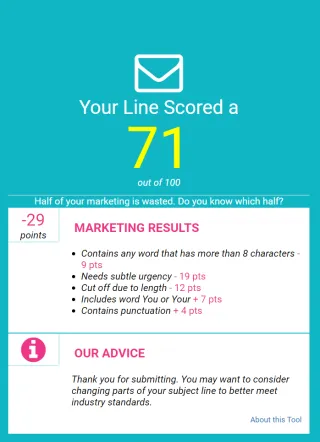
2) Use a Subject Line tester such as https://subjectline.com/ or http://emailsubjectlinegrader.com/ to test or grade your subject line and show you how likely it is to be considered Spam.
3) Set up your SPF, DKIM and DMARC.
SPF, DKIM and DMARC are simply a set of email authentication methods to prove to ISPs and mail services that senders are truly authorized to send email from a particular domain and, are a way of verifying your email sending server is sending emails through your domain. Google has a good article to c fall asleep to that explains how to set up these up.
SPF Article : https://support.google.com/a/answer/33786?hl=en#to-do
DKIM Article : https://support.google.com/a/answer/174124?hl=en
DMARC Article : https://support.google.com/a/answer/2466563?hl=en
Why do you recommend Google Workspace Accounts?
1) They are cheap! Starting $6 a month and you can send a lot of emails.
2) They are really easy to set up. Most users can set these up themselves in less than 30 mins.
3) Google Workspace is fully integrated with Popmix CRM and allows you to use a lot of other Google solutions like, Google Analytics, Google Ads, and Google Messages etc